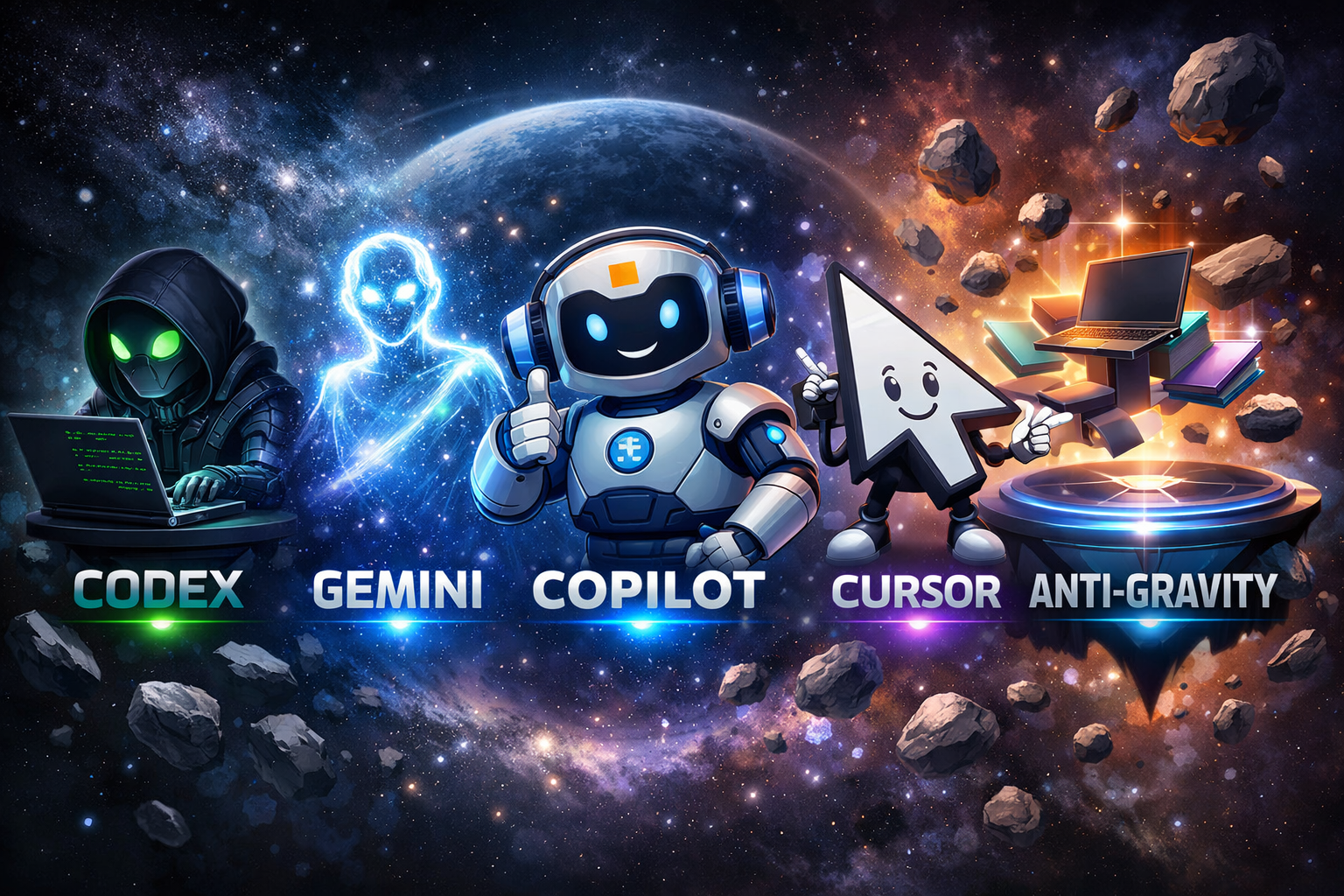
AI Coding Assistants: Codex, Gemini, Copilot, Cursor & Anti-Gravity
Introduction: The AI Revolution in Software Development
The landscape of software development has transformed dramatically with the emergence of AI coding assistants like Codex, Gemini, Copilot, Cursor, and Anti-Gravity. These powerful tools leverage generative AI and agentic AI capabilities to revolutionize how developers write, debug, and optimize code. As of 2025, AI-powered development tools have become essential for both frontend developers and full-stack engineers seeking to enhance productivity and code quality.
Understanding the differences between Codex, Gemini, Copilot, Cursor, and Anti-Gravity is crucial for making informed decisions about which AI coding assistant best suits your development workflow. Each platform offers unique features, integration capabilities, and approaches to code generation. Whether you’re a startup looking to accelerate development or an enterprise seeking to standardize development practices, this comprehensive guide explores the architecture, capabilities, and practical applications of these leading AI coding tools.
This article provides detailed comparisons, real-world examples, implementation strategies, and best practices for leveraging AI coding assistants. You’ll learn about generative AI fundamentals, agentic AI systems, Model Context Protocol (MCP) tools, RAG (Retrieval-Augmented Generation), LangChain integration, and how these technologies power modern development environments. We’ll examine code examples, performance benchmarks, and actionable insights to help you choose the right AI coding assistant for your specific needs.
Understanding Generative AI: The Foundation of AI Coding Assistants
Generative AI is a type of artificial intelligence that creates new content, including code, text, and images, by learning patterns from vast datasets and generating novel outputs based on user prompts.
Generative AI powers all modern AI coding assistants by utilizing large language models (LLMs) trained on billions of lines of code from open-source repositories, documentation, and programming resources. These models understand syntax, semantics, context, and programming patterns across dozens of languages. The technology enables AI assistants to generate contextually relevant code snippets, complete functions, suggest optimizations, and even explain complex algorithms in natural language.
Why Generative AI Matters for Developers
- Productivity Enhancement: Reduces time spent on repetitive coding tasks by up to 55% according to GitHub’s research studies
- Code Quality: Suggests best practices, identifies potential bugs, and recommends optimized solutions based on proven patterns
- Learning Acceleration: Helps developers understand new frameworks, libraries, and languages through contextual examples
- Documentation Generation: Automatically creates comments, docstrings, and technical documentation from code context
- Cross-Language Support: Enables seamless work across multiple programming languages without deep expertise in each
The foundation models behind tools like Codex (GPT-based), Gemini (PaLM 2/Gemini-based), and Copilot (Codex-based) process billions of parameters to understand code intent. They analyze context from your current file, project structure, imports, and even comments to generate highly relevant suggestions. This contextual awareness distinguishes modern generative AI from simple code completion tools.
Understanding Agentic AI: Autonomous Problem-Solving Systems
Agentic AI refers to autonomous AI systems that can independently plan, execute multi-step tasks, make decisions, use tools, and adapt their approach based on feedback without constant human intervention.
While generative AI responds to prompts, agentic AI takes initiative. Agentic systems in coding tools like Cursor and Anti-Gravity can analyze entire codebases, identify problems, propose solutions, implement fixes, run tests, and iterate based on results. These agents operate with goal-oriented behavior, breaking complex tasks into subtasks and executing them systematically. The shift from passive suggestion to active problem-solving represents a paradigm change in AI-assisted development.
What Makes Agentic AI Different
- Autonomous Reasoning: Plans multi-step solutions without explicit instructions for each step
- Tool Usage: Accesses external tools, APIs, databases, and development environments to complete tasks
- Feedback Loops: Learns from execution results, adjusts strategies, and retries with improved approaches
- Context Management: Maintains awareness of project state, previous actions, and long-term goals throughout sessions
- Decision Making: Evaluates trade-offs, selects optimal approaches, and prioritizes actions based on constraints
Agentic AI systems utilize techniques like chain-of-thought reasoning, tree search algorithms, and reinforcement learning from human feedback (RLHF). They can perform complex tasks such as refactoring entire modules, implementing feature specifications from natural language descriptions, debugging across multiple files, and even conducting code reviews with actionable suggestions. The integration of agentic capabilities with development environments creates powerful coding assistants that function more like junior developers than simple autocomplete tools.
AI Agents in Depth: Architecture and Capabilities
AI Agents are software entities that perceive their environment, process information, make decisions, and take actions to achieve specific goals, operating with varying degrees of autonomy within defined constraints.
In the context of coding assistants, AI agents function as specialized components designed to handle specific development tasks. An agent architecture typically includes perception modules (analyzing code and context), reasoning engines (planning solutions), action executors (implementing changes), and memory systems (maintaining state). Modern coding agents like those in Cursor and Anti-Gravity integrate multiple specialized sub-agents for tasks such as code generation, testing, debugging, and documentation.
Core Components of Coding AI Agents
- Perception Layer: Parses code syntax, analyzes project structure, and extracts semantic meaning from codebases
- Planning Module: Decomposes complex requests into executable subtasks with dependency management
- Action Executor: Implements code changes, runs commands, interacts with development tools and APIs
- Memory System: Stores conversation history, project context, previous solutions, and learned patterns
- Tool Interface: Connects to compilers, debuggers, version control, testing frameworks, and external services
- Feedback Processor: Analyzes execution results, error messages, and test outcomes to refine approaches
Agent frameworks leverage technologies like LangChain for orchestration, vector databases for semantic code search, and Model Context Protocol (MCP) for standardized tool interaction. These agents can simultaneously analyze documentation, search Stack Overflow, query internal knowledge bases, and execute code to validate solutions. The most advanced agents employ reinforcement learning to improve performance over time, learning from successful completions and failed attempts.
Codex by OpenAI: The Pioneer in AI Code Generation
OpenAI Codex is a GPT-based AI model specifically trained on source code from public repositories, capable of translating natural language into functional code across dozens of programming languages.
Codex powers GitHub Copilot and serves as the foundation for many AI coding tools. Released in 2021, Codex demonstrated unprecedented capability in understanding programming intent and generating syntactically correct, contextually appropriate code. The model was trained on 159 GB of Python code from 54 million GitHub repositories, plus extensive datasets in JavaScript, TypeScript, Ruby, Go, and other languages. Codex excels at function completion, boilerplate generation, and translating comments into working implementations.
Key Capabilities and Use Cases
- Multi-Language Proficiency: Supports Python, JavaScript, TypeScript, Ruby, Go, PHP, C#, C++, Java, Shell, and more
- Natural Language Processing: Converts plain English descriptions into functional code implementations
- Context Awareness: Analyzes surrounding code, imported libraries, and function signatures for relevant suggestions
- Code Translation: Converts code between programming languages while preserving functionality and idioms
- API Integration: Available through OpenAI API for custom integration into development tools and workflows
Codex operates by analyzing the context window (up to 8,192 tokens in later versions) to understand the current programming task. It considers file content, cursor position, recently edited code, and even open files to generate contextually appropriate suggestions. The model uses few-shot learning, meaning it can adapt to specific coding styles and patterns from minimal examples. Developers can guide Codex through comments, function names, and type annotations to receive more targeted assistance.
Code Example: Using Codex for Data Processing
import openai

openai.api_key = "your-api-key-here"

def generate_code_with_codex(prompt, language="python"):
    """
    Generate code using OpenAI Codex API
    """
    response = openai.Completion.create(
        model="code-davinci-002",
        prompt=prompt,
        max_tokens=500,
        temperature=0.2,
        top_p=1.0,
        frequency_penalty=0.0,
        presence_penalty=0.0,
        stop=["###"]
    )

    return response.choices[0].text.strip()

# Example: Generate a function to parse CSV files
prompt = """
# Python function to read CSV file and convert to JSON
# Handle missing values and type conversions
def csv_to_json(filepath):
"""

generated_code = generate_code_with_codex(prompt)
print(generated_code)Google Gemini: Multimodal AI for Code and Beyond
Google Gemini is a multimodal AI model that processes text, code, images, audio, and video, offering advanced reasoning capabilities and deep integration with Google’s development ecosystem.
Gemini represents Google’s latest generation of AI models, succeeding PaLM 2 with enhanced capabilities specifically optimized for code generation and analysis. Gemini 1.5 Pro features a groundbreaking 1 million token context window, enabling analysis of entire codebases, comprehensive documentation, and complex multi-file projects. The model excels at understanding relationships between code, documentation, and visual diagrams, making it particularly valuable for system design and architecture discussions.
Gemini’s Distinctive Features
- Extended Context Window: Process up to 1 million tokens, analyzing entire projects in a single session
- Multimodal Understanding: Analyze screenshots, diagrams, UI mockups alongside code for comprehensive solutions
- Google Cloud Integration: Native support for Google Cloud Platform services, Firebase, and Google APIs
- Advanced Reasoning: Superior performance on complex algorithmic challenges and mathematical problem-solving
- Real-Time Information: Access to current web information through Google Search integration
Gemini’s architecture enables sophisticated code understanding tasks such as generating unit tests from requirements documents, creating API implementations from OpenAPI specifications, and suggesting architectural improvements based on system diagrams. The model’s multimodal capabilities allow developers to share screenshots of error messages, UI designs, or database schemas and receive context-aware code solutions. Integration with Google AI Studio and Vertex AI provides enterprise-grade deployment options.
Code Example: Gemini API Integration
import google.generativeai as genai

genai.configure(api_key="your-gemini-api-key")

def analyze_code_with_gemini(code_snippet, task):
    """
    Analyze and improve code using Gemini API
    """
    model = genai.GenerativeModel('gemini-1.5-pro')

    prompt = f"""
    Analyze the following code and {task}:
```python
    {code_snippet}
```

    Provide specific improvements with explanations.
    """

    response = model.generate_content(prompt)
    return response.text

# Example usage
sample_code = """
def process_data(items):
    results = []
    for item in items:
        if item > 0:
            results.append(item * 2)
    return results
"""

analysis = analyze_code_with_gemini(
    sample_code,
    "suggest performance optimizations and better Pythonic approaches"
)
print(analysis)GitHub Copilot: Integrated AI Pair Programming
GitHub Copilot is an AI-powered code completion tool developed by GitHub and OpenAI that provides real-time suggestions directly within your IDE, functioning as an intelligent pair programming partner.
Launched in 2021 and powered by OpenAI Codex, GitHub Copilot has become the most widely adopted AI coding assistant with over 1.3 million paid subscribers as of 2024. The tool integrates seamlessly with Visual Studio Code, Visual Studio, JetBrains IDEs, and Neovim, providing context-aware code suggestions as developers type. Copilot analyzes the current file, related files, and even GitHub repository context to generate relevant code completions, entire functions, and implementation patterns.
Copilot’s Core Strengths
- IDE Integration: Native support for major development environments with minimal configuration required
- Real-Time Suggestions: Ghost text completions appear inline as you type, accepting with a single keystroke
- Multi-File Context: Analyzes related files in your project for contextually aware suggestions
- Chat Interface: Copilot Chat enables natural language conversations about code within the IDE
- Enterprise Features: Organization-wide policies, IP indemnity, and code referencing for compliance
- Security Scanning: Blocks suggestions matching public code and flags potential security vulnerabilities
GitHub Copilot X introduced advanced features including pull request summaries, AI-generated documentation, command-line interface assistance, and voice-activated coding. The tool learns from your coding patterns and adapts suggestions to match your style. Copilot for Business and Enterprise editions provide administrative controls, usage analytics, and compliance features essential for organizations. The latest versions integrate with GitHub’s knowledge graph to provide repository-specific context.
Code Example: Copilot-Assisted Flask API
from flask import Flask, request, jsonify
from flask_sqlalchemy import SQLAlchemy
from datetime import datetime

app = Flask(__name__)
app.config['SQLALCHEMY_DATABASE_URI'] = 'sqlite:///tasks.db'
db = SQLAlchemy(app)

# Copilot generates this model from a comment:
# Create a Task model with id, title, description, completed status, and created_at
class Task(db.Model):
    id = db.Column(db.Integer, primary_key=True)
    title = db.Column(db.String(200), nullable=False)
    description = db.Column(db.Text, nullable=True)
    completed = db.Column(db.Boolean, default=False)
    created_at = db.Column(db.DateTime, default=datetime.utcnow)

    def to_dict(self):
        return {
            'id': self.id,
            'title': self.title,
            'description': self.description,
            'completed': self.completed,
            'created_at': self.created_at.isoformat()
        }

# Copilot generates CRUD endpoints from function signatures:
@app.route('/api/tasks', methods=['GET'])
def get_tasks():
    tasks = Task.query.all()
    return jsonify([task.to_dict() for task in tasks])

@app.route('/api/tasks', methods=['POST'])
def create_task():
    data = request.get_json()
    new_task = Task(
        title=data['title'],
        description=data.get('description', '')
    )
    db.session.add(new_task)
    db.session.commit()
    return jsonify(new_task.to_dict()), 201

@app.route('/api/tasks/', methods=['PUT'])
def update_task(task_id):
    task = Task.query.get_or_404(task_id)
    data = request.get_json()
    task.title = data.get('title', task.title)
    task.description = data.get('description', task.description)
    task.completed = data.get('completed', task.completed)
    db.session.commit()
    return jsonify(task.to_dict())

if __name__ == '__main__':
    with app.app_context():
        db.create_all()
app.run(debug=True) Cursor: The AI-First Code Editor
Cursor is a fork of Visual Studio Code redesigned from the ground up to integrate AI capabilities natively, offering advanced agentic features, codebase-wide understanding, and conversational programming experiences.
Cursor represents a paradigm shift in AI-assisted development by embedding AI functionality at the editor’s core rather than as an extension. Built on VS Code’s foundation, Cursor maintains compatibility with existing extensions while adding powerful AI features like Ctrl+K for inline editing, chat-based coding with full project context, and autonomous agents that can implement features across multiple files. The editor uses multiple AI models (GPT-4, Claude 3.5 Sonnet, Gemini) and allows switching between them based on task requirements.
Cursor’s Advanced Capabilities
- Codebase Indexing: Automatically indexes entire projects for semantic code search and context-aware suggestions
- Multi-Model Support: Choose between GPT-4, Claude 3.5 Sonnet, Gemini, and other models for different tasks
- Inline Editing: Ctrl+K command enables AI to edit selected code based on natural language instructions
- Composer Mode: Autonomous agent mode that implements features across multiple files independently
- @-Mentions: Reference specific files, folders, documentation, or web resources in chat conversations
- Terminal Integration: AI assistance for command-line operations and debugging terminal errors
Cursor’s agentic capabilities enable workflows where developers describe desired functionality and the AI autonomously creates implementations across multiple files, updates tests, and modifies configurations. The editor’s “Composer” feature acts as an AI pair programmer that can refactor entire modules, implement complex features, and maintain coding style consistency. Privacy-conscious features include local model deployment options and strict data usage policies preventing training on user code.
Cursor Workflow Example
// Cursor Composer Mode Example
// 1. Open Cursor and press Cmd+I (Mac) or Ctrl+I (Windows)
// 2. Describe the feature:

/*
Create a user authentication system with:
- JWT token generation and validation
- Password hashing with bcrypt
- Login and registration endpoints
- Protected route middleware
- Token refresh mechanism
*/

// 3. Cursor Composer autonomously:
// - Creates auth.js with JWT utilities
// - Creates middleware/auth.js for route protection
// - Updates routes/users.js with login/register
// - Installs necessary dependencies (jsonwebtoken, bcrypt)
// - Generates tests for authentication flows

// Example of generated auth middleware:
const jwt = require('jsonwebtoken');

const authMiddleware = async (req, res, next) => {
    try {
        const token = req.header('Authorization')?.replace('Bearer ', '');

        if (!token) {
            throw new Error('No authentication token provided');
        }

        const decoded = jwt.verify(token, process.env.JWT_SECRET);
        req.userId = decoded.userId;
        req.token = token;

        next();
    } catch (error) {
        res.status(401).json({ error: 'Please authenticate' });
    }
};

module.exports = authMiddleware;Anti-Gravity: Emerging AI Development Platform
Anti-Gravity is an emerging AI-powered development platform focused on autonomous code generation, intelligent refactoring, and collaborative AI agents designed to accelerate full-stack development workflows.
Anti-Gravity represents the next generation of AI development tools, emphasizing autonomous agents that understand project architecture, business requirements, and technical constraints. While less established than Copilot or Cursor, Anti-Gravity differentiates itself through specialized agents for frontend development, backend API creation, database design, and DevOps automation. The platform employs a team-of-agents approach where specialized AI agents collaborate to complete complex development tasks.
Anti-Gravity’s Innovative Features
- Specialized Agent Teams: Coordinated AI agents for frontend, backend, database, testing, and deployment tasks
- Architecture Generation: Creates complete project scaffolding with best practices and modern patterns
- Automated Testing: Generates comprehensive test suites including unit, integration, and end-to-end tests
- Continuous Refactoring: Proactively identifies code smells and suggests architectural improvements
- Documentation Sync: Keeps documentation current with code changes automatically
The platform’s team-based approach mirrors human development teams, with agents specializing in specific domains. A frontend agent might use React and Tailwind conventions while a backend agent optimizes for Node.js and PostgreSQL patterns. Anti-Gravity’s coordination layer ensures consistency across agent outputs and manages dependencies between tasks. Early adopters report significant productivity gains in greenfield projects where AI agents can establish patterns from the start.
Model Context Protocol (MCP): Standardizing AI Tool Integration
Model Context Protocol (MCP) is an open standard developed by Anthropic that enables AI models to securely connect with external data sources and tools through a unified interface, promoting interoperability and extensibility.
MCP addresses the fragmentation in AI tool integration by providing a standardized protocol for connecting AI models to development environments, databases, APIs, and external services. Instead of each AI coding assistant implementing custom integrations, MCP defines a common language for tool invocation, data exchange, and capability discovery. This standardization enables developers to create MCP servers that expose functionality to any MCP-compatible AI assistant, reducing duplication and improving ecosystem compatibility.
MCP Architecture and Benefits
- Unified Interface: Single protocol for connecting AI models to diverse tools and data sources
- Security First: Built-in authentication, authorization, and sandboxing for safe tool access
- Bidirectional Communication: Supports both AI-initiated tool calls and tool-initiated updates to AI context
- Extensibility: Developers can create custom MCP servers exposing domain-specific tools
- Cross-Platform: Works across different AI models, assistants, and development environments
MCP servers can expose capabilities like database querying, file system access, API interactions, web scraping, and custom business logic. An AI assistant using MCP can dynamically discover available tools, understand their capabilities through standardized descriptions, and invoke them with properly formatted requests. This architecture enables powerful workflows where AI agents autonomously use multiple tools to complete complex tasks while maintaining security boundaries.
MCP Server Example
// Simple MCP server for code analysis tools
const { MCPServer } = require('@anthropic/mcp-server');

class CodeAnalysisServer extends MCPServer {
    constructor() {
        super({
            name: 'code-analysis-tools',
            version: '1.0.0',
            description: 'Tools for analyzing code quality and complexity'
        });

        this.registerTool({
            name: 'analyze_complexity',
            description: 'Analyze cyclomatic complexity of code',
            parameters: {
                code: { type: 'string', description: 'Source code to analyze' },
                language: { type: 'string', description: 'Programming language' }
            },
            handler: this.analyzeComplexity.bind(this)
        });

        this.registerTool({
            name: 'check_style',
            description: 'Check code against style guidelines',
            parameters: {
                code: { type: 'string' },
                ruleset: { type: 'string', default: 'standard' }
            },
            handler: this.checkStyle.bind(this)
        });
    }

    async analyzeComplexity(params) {
        // Implementation using complexity analysis libraries
        const { code, language } = params;
        // Return complexity metrics
        return {
            cyclomatic_complexity: 12,
            cognitive_complexity: 8,
            suggestions: ['Consider breaking down large functions']
        };
    }

    async checkStyle(params) {
        // Implementation using linting tools
        const { code, ruleset } = params;
        // Return style violations
        return {
            violations: [
                { line: 23, rule: 'max-line-length', severity: 'warning' }
            ],
            score: 8.5
        };
    }
}

const server = new CodeAnalysisServer();
server.start(3000);RAG and LangChain: Enhancing AI with External Knowledge
Retrieval-Augmented Generation (RAG) is a technique that enhances AI model responses by retrieving relevant information from external knowledge bases before generating answers, combining the benefits of search and generation.
RAG addresses the knowledge limitations of AI models by dynamically incorporating external information into the generation process. Instead of relying solely on training data, RAG systems query vector databases containing documentation, code repositories, API references, and internal knowledge bases to find relevant context. This retrieved information augments the model’s prompt, enabling accurate responses about proprietary codebases, recent framework updates, and organization-specific patterns that weren’t in the training data.
LangChain: Orchestrating AI Workflows
LangChain is a framework for building applications powered by language models, providing tools for chaining LLM calls, managing prompts, integrating vector stores, and orchestrating complex AI workflows.
- Chain Composition: Combine multiple LLM calls and transformations into cohesive workflows
- Vector Store Integration: Connect to Pinecone, Weaviate, Chroma, and other vector databases for RAG
- Memory Management: Maintain conversation context and session state across interactions
- Agent Framework: Build autonomous agents that use tools and make decisions
- Document Loaders: Ingest code, documentation, and data from diverse sources
In AI coding assistants, RAG enables answering questions about internal codebases, proprietary libraries, and organization-specific practices. LangChain provides the infrastructure to implement RAG pipelines, including document splitting, embedding generation, similarity search, and context injection. The combination allows AI assistants to provide accurate, current information about technologies and codebases they weren’t explicitly trained on, dramatically expanding their utility for enterprise development.
RAG Implementation with LangChain
from langchain.embeddings import OpenAIEmbeddings
from langchain.vectorstores import Chroma
from langchain.text_splitter import RecursiveCharacterTextSplitter
from langchain.chains import RetrievalQA
from langchain.llms import OpenAI
from langchain.document_loaders import DirectoryLoader

# Load codebase documentation
loader = DirectoryLoader('./docs', glob="**/*.md")
documents = loader.load()

# Split documents into chunks
text_splitter = RecursiveCharacterTextSplitter(
    chunk_size=1000,
    chunk_overlap=200
)
texts = text_splitter.split_documents(documents)

# Create vector store
embeddings = OpenAIEmbeddings()
vectorstore = Chroma.from_documents(
    documents=texts,
    embedding=embeddings,
    persist_directory="./chroma_db"
)

# Create RAG chain
qa_chain = RetrievalQA.from_chain_type(
    llm=OpenAI(temperature=0),
    chain_type="stuff",
    retriever=vectorstore.as_retriever(search_kwargs={"k": 3}),
    return_source_documents=True
)

# Query the system
query = "How do we implement authentication in our microservices?"
result = qa_chain({"query": query})

print(f"Answer: {result['result']}")
print(f"Sources: {[doc.metadata['source'] for doc in result['source_documents']]}")Comprehensive AI Tools Comparison
| Feature | Codex (API) | Gemini | GitHub Copilot | Cursor | Anti-Gravity |
|---|---|---|---|---|---|
| Primary Model | GPT-based | Gemini 1.5 Pro | Codex/GPT-4 | Multi-model (GPT-4, Claude, Gemini) | Proprietary + GPT |
| Context Window | 8K-32K tokens | 1M tokens | 16K-128K tokens | Up to 128K tokens | Variable |
| IDE Integration | API only | Google AI Studio | VS Code, JetBrains, Neovim | Native editor (VS Code fork) | Plugin-based |
| Agentic Capabilities | Limited | Moderate | Chat-based | Advanced (Composer) | Advanced (Multi-agent) |
| Multimodal Support | Code only | Text, code, images, video | Code + limited multimodal | Code + images | Code focused |
| Pricing Model | Pay-per-token | Pay-per-token | $10-39/month subscription | $20/month subscription | Custom pricing |
| Best For | Custom integrations | Large codebases, multimodal | General development | Full-feature implementation | Automated project setup |
Use Case Comparison
| Use Case | Recommended Tool | Reason |
|---|---|---|
| Quick code completion | GitHub Copilot | Fastest inline suggestions, minimal disruption |
| Large codebase analysis | Gemini | 1M token context handles entire projects |
| Autonomous feature implementation | Cursor | Composer mode implements across multiple files |
| Custom AI workflows | Codex API | Direct API access for custom integrations |
| Greenfield project setup | Anti-Gravity | Specialized agents for architecture generation |
| Multimodal development (UI + code) | Gemini | Processes design mockups and screenshots |
| Enterprise compliance | GitHub Copilot Enterprise | IP indemnity, administrative controls |
Real-World Implementation Strategies
Scenario 1: Building a REST API with AI Assistance
When building a REST API, different AI tools excel at different stages. GitHub Copilot provides excellent autocomplete for route handlers and middleware. Cursor’s Composer mode can implement entire resource endpoints with CRUD operations across multiple files. Gemini’s large context window helps when working with extensive API documentation or OpenAPI specifications.
Recommended Workflow: Start with Cursor to generate the initial project structure and core models. Use Copilot for day-to-day development with quick completions. Switch to Gemini when analyzing large specification documents or planning complex integrations. Implement RAG with LangChain to maintain project-specific coding standards.
Flask API with AI Tools
from flask import Flask, request, jsonify
from flask_sqlalchemy import SQLAlchemy
from flask_marshmallow import Marshmallow
from flask_jwt_extended import JWTManager, create_access_token, jwt_required
import os

# Initialize Flask app
app = Flask(__name__)

# Configure database and JWT
app.config['SQLALCHEMY_DATABASE_URI'] = os.getenv('DATABASE_URL', 'sqlite:///app.db')
app.config['JWT_SECRET_KEY'] = os.getenv('JWT_SECRET', 'dev-secret-key')
app.config['SQLALCHEMY_TRACK_MODIFICATIONS'] = False

db = SQLAlchemy(app)
ma = Marshmallow(app)
jwt = JWTManager(app)

# AI-generated model (using Copilot or Cursor)
class Product(db.Model):
    id = db.Column(db.Integer, primary_key=True)
    name = db.Column(db.String(100), nullable=False)
    description = db.Column(db.Text)
    price = db.Column(db.Float, nullable=False)
    stock = db.Column(db.Integer, default=0)
    category = db.Column(db.String(50))
    created_at = db.Column(db.DateTime, server_default=db.func.now())
    updated_at = db.Column(db.DateTime, onupdate=db.func.now())

# AI-generated schema
class ProductSchema(ma.SQLAlchemyAutoSchema):
    class Meta:
        model = Product
        load_instance = True

product_schema = ProductSchema()
products_schema = ProductSchema(many=True)

# Authentication endpoint (AI-generated with security best practices)
@app.route('/api/auth/login', methods=['POST'])
def login():
    data = request.get_json()

    if not data or not data.get('username') or not data.get('password'):
        return jsonify({'error': 'Missing credentials'}), 400

    # In production, verify against database
    if data['username'] == 'admin' and data['password'] == 'secure_password':
        access_token = create_access_token(identity=data['username'])
        return jsonify({'access_token': access_token}), 200

    return jsonify({'error': 'Invalid credentials'}), 401

# CRUD endpoints (AI-generated with proper error handling)
@app.route('/api/products', methods=['GET'])
def get_products():
    # Query parameters for filtering
    category = request.args.get('category')
    min_price = request.args.get('min_price', type=float)
    max_price = request.args.get('max_price', type=float)

    query = Product.query

    if category:
        query = query.filter_by(category=category)
    if min_price:
        query = query.filter(Product.price >= min_price)
    if max_price:
        query = query.filter(Product.price <= max_price)

    products = query.all()
    return jsonify(products_schema.dump(products)), 200

@app.route('/api/products', methods=['POST'])
@jwt_required()
def create_product():
    try:
        product = product_schema.load(request.get_json())
        db.session.add(product)
        db.session.commit()
        return jsonify(product_schema.dump(product)), 201
    except Exception as e:
        db.session.rollback()
        return jsonify({'error': str(e)}), 400

@app.route('/api/products/', methods=['GET'])
def get_product(id):
    product = Product.query.get_or_404(id)
    return jsonify(product_schema.dump(product)), 200

@app.route('/api/products/', methods=['PUT'])
@jwt_required()
def update_product(id):
    product = Product.query.get_or_404(id)
    try:
        updated_product = product_schema.load(request.get_json(), instance=product, partial=True)
        db.session.commit()
        return jsonify(product_schema.dump(updated_product)), 200
    except Exception as e:
        db.session.rollback()
        return jsonify({'error': str(e)}), 400

@app.route('/api/products/', methods=['DELETE'])
@jwt_required()
def delete_product(id):
    product = Product.query.get_or_404(id)
    db.session.delete(product)
    db.session.commit()
    return jsonify({'message': 'Product deleted successfully'}), 200

# Error handlers (AI-suggested)
@app.errorhandler(404)
def not_found(error):
    return jsonify({'error': 'Resource not found'}), 404

@app.errorhandler(500)
def internal_error(error):
    db.session.rollback()
    return jsonify({'error': 'Internal server error'}), 500

if __name__ == '__main__':
    with app.app_context():
        db.create_all()
    app.run(debug=True, port=5000)
Scenario 2: Frontend Component Development
For frontend development, Gemini excels when working from design mockups or Figma screenshots. Copilot provides rapid component scaffolding and Tailwind CSS class suggestions. Cursor’s inline editing (Ctrl+K) enables quick modifications like “make this component responsive” or “add loading states.”
Best Practice: Use Gemini to convert design screenshots into initial component structure. Leverage Copilot for styling and event handlers. Apply Cursor’s chat for refactoring and adding accessibility features. Integrate MCP tools for component library documentation.
Best Practices and Common Pitfalls
Maximizing AI Assistant Effectiveness
- Provide Clear Context: Write descriptive comments, meaningful variable names, and type annotations to guide AI suggestions
- Review All Generated Code: Treat AI output as a starting point requiring human review for correctness and security
- Iterative Refinement: Use conversational feedback to improve suggestions rather than accepting first results
- Maintain Coding Standards: Configure AI tools with project-specific style guides and linting rules
- Security Awareness: Scrutinize AI-generated authentication, authorization, and data handling code
- Test Coverage: Generate tests alongside implementation code, not as an afterthought
- Documentation: Leverage AI to maintain up-to-date documentation synced with code changes
Common Pitfalls to Avoid
- Over-Reliance: Blindly accepting AI suggestions without understanding the underlying logic and implications
- Context Overflow: Providing too much irrelevant context leading to confused or unfocused suggestions
- Security Oversights: Failing to validate AI-generated code for vulnerabilities, especially in authentication flows
- License Violations: Not verifying that generated code doesn’t copy from restrictively licensed sources
- Performance Ignorance: Accepting inefficient algorithms or approaches without performance considerations
- Testing Neglect: Skipping manual testing of AI-generated functionality assuming correctness
- Privacy Concerns: Sharing proprietary code with cloud-based AI services without proper agreements
FAQ: AI Coding Assistants Explained
FACT: GitHub Copilot is an IDE extension providing inline code suggestions, while Cursor is a complete AI-first code editor built on VS Code with autonomous agentic capabilities.
Copilot integrates into existing editors and excels at real-time autocomplete as you type. Cursor reimagines the entire development environment around AI, offering features like Composer mode for multi-file implementations, inline editing with Ctrl+K, and model selection flexibility. Choose Copilot for minimal workflow disruption or Cursor for comprehensive AI-native development experience with more autonomous capabilities.
FACT: AI coding assistants can work with proprietary code, with security depending on deployment model—cloud-based services analyze code remotely while local/on-premise solutions keep code internal.
GitHub Copilot Enterprise and Cursor offer privacy modes preventing code from training future models. For maximum security, implement RAG systems with LangChain using locally hosted vector databases containing your proprietary documentation. Enterprise versions provide IP indemnity and compliance certifications. Always review vendor data handling policies and consider self-hosted solutions for highly sensitive codebases requiring air-gapped environments.
FACT: RAG (Retrieval-Augmented Generation) enhances AI accuracy by retrieving relevant documentation and code examples from vector databases before generating responses, grounding suggestions in actual project context.
Standard AI models rely on training data that may be outdated or lack organization-specific knowledge. RAG systems dynamically query indexed codebases, internal wikis, API documentation, and recent commits to find relevant context. This retrieved information augments the AI’s prompt, enabling accurate suggestions about proprietary libraries, current framework versions, and company coding standards not present in training data, significantly reducing hallucinations and improving relevance.
FACT: Model Context Protocol (MCP) is an open standard enabling AI models to securely connect with external tools and data sources through a unified interface, promoting ecosystem interoperability.
Before MCP, each AI assistant required custom integrations for databases, APIs, and development tools, creating fragmentation. MCP standardizes how AI agents discover, authenticate, and invoke external capabilities. Developers build MCP servers once, and any MCP-compatible AI can use them. This reduces integration effort, improves security through standardized authentication, and enables powerful multi-tool workflows where AI agents autonomously combine capabilities from different sources to complete complex tasks.
FACT: Using multiple AI coding assistants strategically based on task requirements maximizes productivity, with developers commonly combining tools like Copilot for autocomplete and Cursor for complex implementations.
Different AI tools excel at different tasks. GitHub Copilot provides superior inline suggestions for routine coding. Cursor’s Composer excels at multi-file feature implementation. Gemini handles large codebase analysis with its massive context window. Rather than committing to one tool, successful developers leverage each assistant’s strengths: Copilot for daily coding, Cursor for complex refactoring, and Gemini for architectural planning. Configure tools to avoid conflicts and establish clear mental models for when to invoke each assistant.
FACT: Agentic AI systems autonomously plan multi-step tasks, use external tools, and adapt based on feedback, while traditional code completion only suggests next tokens based on immediate context.
Traditional autocomplete predicts what you’ll type next based on current file context. Agentic AI like Cursor’s Composer understands goals, decomposes complex requirements into subtasks, edits multiple files, runs tests, analyzes errors, and iterates toward solutions independently. These agents maintain project-wide awareness, use reasoning to select optimal approaches, and can recover from failures by trying alternative strategies. This fundamental difference transforms AI from reactive suggestion engine to proactive development partner.
FACT: Critical security considerations include code privacy during transmission, preventing proprietary code from training models, validating AI-generated security-sensitive code, and ensuring compliance with organizational data policies.
AI assistants may transmit code to cloud services for processing, creating data leakage risks. Use enterprise versions with privacy guarantees, or self-hosted options for sensitive projects. Always manually review AI-generated authentication, authorization, cryptography, and input validation code for vulnerabilities. Configure tools to block suggestions matching public code to avoid license violations. Establish organizational policies defining acceptable AI usage, data handling requirements, and approval workflows for production deployment of AI-generated code.
Conclusion: Choosing the Right AI Coding Assistant
The landscape of AI coding assistants offers powerful options for developers at every level. GitHub Copilot provides the most seamless integration for developers seeking productivity without workflow disruption. Cursor delivers unmatched autonomous capabilities for those wanting AI to handle entire feature implementations. Gemini excels with massive codebases and multimodal requirements. Codex API enables custom integrations. Anti-Gravity shows promise for comprehensive project automation, though maturity should be evaluated against established alternatives.
Choosing the right framework depends on your specific context. Startups benefit from Cursor’s rapid development capabilities. Enterprises require Copilot’s compliance features and administrative controls. Full-stack developers leverage Gemini’s multimodal understanding for design-to-code workflows. Frontend specialists appreciate Copilot’s Tailwind suggestions and component scaffolding. Backend engineers use Cursor for API implementation and database schema generation.
The future of software development lies not in replacing developers but in augmenting human creativity with AI capabilities. Understanding generative AI, agentic systems, RAG, LangChain, and MCP fundamentals empowers you to leverage these tools effectively. Start with one assistant, master its capabilities, then strategically incorporate additional tools based on project needs. The developers who thrive will be those who combine AI efficiency with human judgment, maintaining code quality while dramatically accelerating development velocity.
For more insights on modern development tools and best practices, explore our related resources:
Ready to Transform Your Development Workflow?
Discover how SmartStackDev can help you integrate AI coding assistants into your development process. Our team specializes in AI-powered development strategies, custom tool integrations, and developer productivity optimization.
Get Started Today:
No responses yet