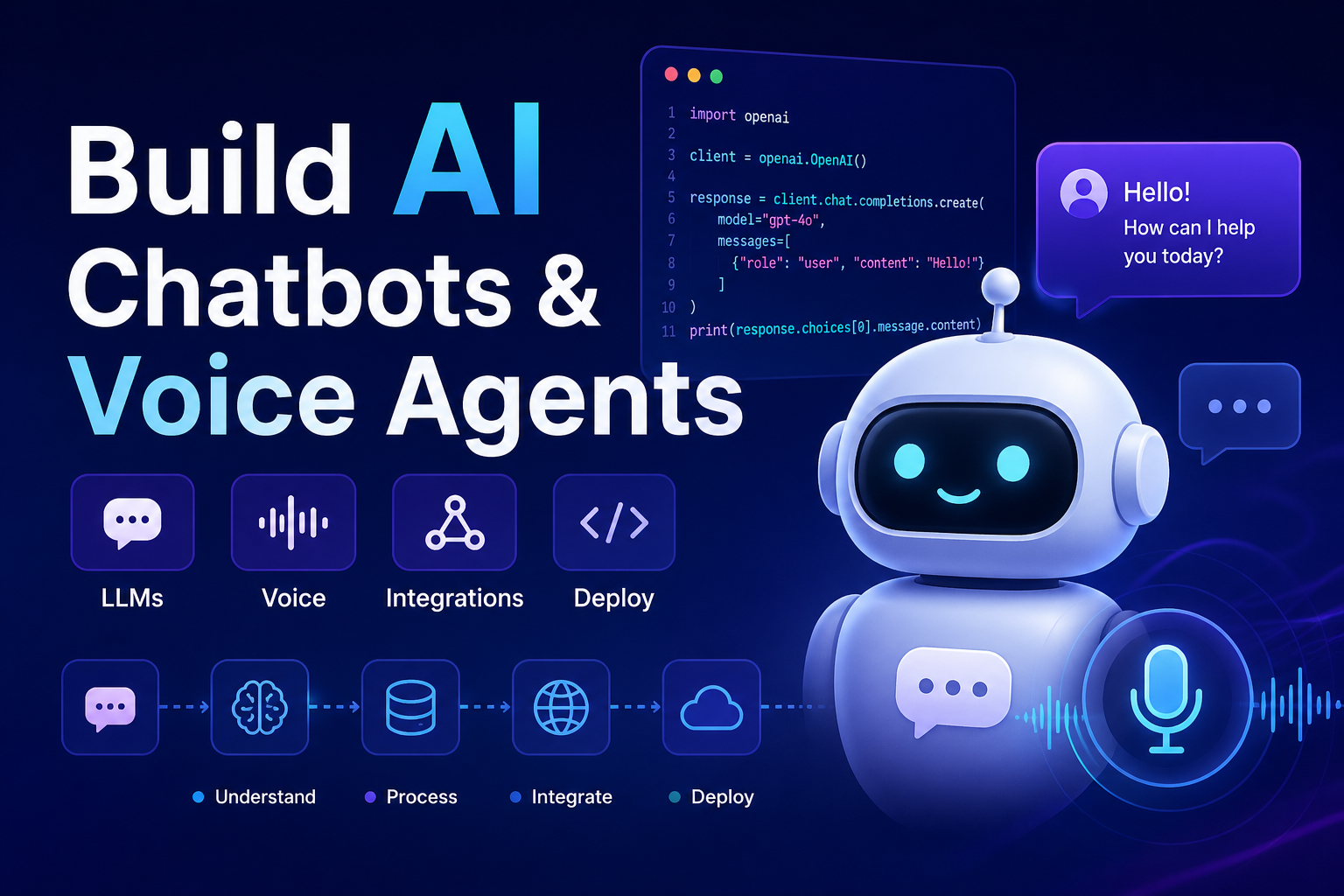
How to Build
Chatbots &
Voice Agents
A complete technical guide for developers — from architecture decisions and NLU pipelines to LLM integration, STT/TTS, deployment, and production-hardening of both text and voice conversational AI systems.
01 Chatbots vs Voice Agents — Architecture First
Before writing a single line of code, you need a clear mental model of what separates a chatbot from a voice agent at the architectural level. They share a common brain — a language model or NLU engine — but differ fundamentally in their input/output layers, latency constraints, error recovery strategies, and deployment targets. Conflating the two leads to systems that are mediocre at both.
- Input: typed text via widget, API, Slack, WhatsApp
- Output: markdown, rich cards, buttons, carousels
- Latency budget: 2–8 seconds acceptable
- Error recovery: re-prompt, clarification message
- State: session cookies / database-backed
- Deployment: HTTPS webhook, WebSocket
- Primary stack: Python, Node.js, REST APIs
- Input: raw audio → STT → text
- Output: text → TTS → audio stream
- Latency budget: <1.2 s perceived end-to-end
- Error recovery: barge-in, silence detection, reprompt
- State: in-memory + Redis for sub-second access
- Deployment: SIP trunk, WebRTC, telephony SDK
- Primary stack: Python, Go, WebRTC, Twilio/Vonage
Both architectures converge at the dialogue management layer — the logic that decides what to say next given the conversation history, current intent, and slot values. Whether you’re streaming text tokens to a chat widget or streaming audio bytes to a phone call, that middle layer is nearly identical. This guide covers both in depth, calling out where they diverge.
02 Core Building Blocks of a Chatbot
A production chatbot is not a single API call to an LLM. It is a pipeline of components, each with its own failure modes, scaling concerns, and configuration surface. Understanding each layer lets you reason about where things break.
Step 1 — Intent Detection and NLU
In 2026, most teams skip hand-crafted NLU models (Rasa NLU, Dialogflow CX) in favour of prompting an LLM directly for intent classification. This is valid for low-to-medium volume use cases. For high-volume production systems where you pay per token, a fine-tuned small classifier (DistilBERT, SetFit) running locally is dramatically cheaper and faster — classifying 10,000 intents per second on a single CPU core versus sub-100 RPS at LLM API rates.
from setfit import SetFitModel
from openai import OpenAI

# Option A — Fine-tuned local classifier (fast, cheap at scale)
model = SetFitModel.from_pretrained("your-org/intent-classifier-v2")

def classify_intent_local(text: str) -> str:
    predictions = model.predict([text])
    return predictions[0]  # e.g. "cancel_subscription"

# Option B — LLM-based classification (flexible, no training needed)
client = OpenAI()
INTENTS = ["billing", "technical_support", "cancel", "upgrade", "other"]

def classify_intent_llm(text: str) -> str:
    resp = client.chat.completions.create(
        model="gpt-4o-mini",
        response_format={"type": "json_object"},
        messages=[
            {"role": "system", "content":
                f"Classify into one of: {INTENTS}. "
                 "Respond ONLY with JSON: {{\"intent\": \"...\", \"confidence\": 0.0}}"},
            {"role": "user", "content": text}
        ]
    )
    import json
    return json.loads(resp.choices[0].message.content)["intent"]
Step 2 — State Management and Dialogue Context
Chatbot state has two layers: short-term context (the current conversation’s message history, slot values, and user profile data) and long-term memory (facts persisted across sessions). Short-term context lives in Redis or in-memory with a session TTL. Long-term memory is typically stored in a database and injected into the system prompt at the start of each session.
import redis, json
from openai import OpenAI

r = redis.Redis(host="localhost", port=6379, decode_responses=True)
client = OpenAI()

SYSTEM_PROMPT = """You are a helpful support agent for Acme Corp.
Answer using only verified facts from context. Be concise.
If you don't know, say so — never guess."""

def get_history(session_id: str) -> list:
    raw = r.get(f"session:{session_id}")
    return json.loads(raw) if raw else []

def save_history(session_id: str, history: list):
    r.setex(f"session:{session_id}", 3600, json.dumps(history))

def chat_turn(session_id: str, user_msg: str, context: str = "") -> str:
    history = get_history(session_id)
    history.append({"role": "user", "content": user_msg})

    messages = [
        {"role": "system", "content": SYSTEM_PROMPT +
            (f"\n\nContext:\n{context}" if context else "")},
        *history[-10:]  # Keep last 10 turns to control token usage
    ]

    resp = client.chat.completions.create(
        model="gpt-4o", messages=messages,
        temperature=0.3, max_tokens=600
    )
    assistant_msg = resp.choices[0].message.content
    history.append({"role": "assistant", "content": assistant_msg})
    save_history(session_id, history)
    return assistant_msg
Step 3 — Streaming Responses to the Frontend
Users abandon chatbots that take more than 3–4 seconds to respond. Server-Sent Events (SSE) or WebSockets with streaming LLM responses eliminate the wait by piping tokens to the client as they are generated, giving the perception of near-instant response. Most LLM providers support streaming via stream=True.
from fastapi import FastAPI
from fastapi.responses import StreamingResponse
from openai import OpenAI

app = FastAPI()
client = OpenAI()

@app.post("/chat/stream")
async def stream_chat(session_id: str, message: str):
    async def token_generator():
        stream = client.chat.completions.create(
            model="gpt-4o", stream=True,
            messages=[{"role": "user", "content": message}]
        )
        for chunk in stream:
            delta = chunk.choices[0].delta.content or ""
            if delta:
                yield f"data: {delta}\n\n"  # SSE format
        yield "data: [DONE]\n\n"

    return StreamingResponse(token_generator(),
                              media_type="text/event-stream")
03 Core Building Blocks of a Voice Agent
A voice agent introduces two additional processing layers — Speech-to-Text (STT) on input and Text-to-Speech (TTS) on output — plus an entirely different set of latency constraints. Every millisecond counts: research shows perceived conversation quality drops sharply when end-to-end latency exceeds 1.2 seconds. This forces different architectural choices than text chatbots at almost every layer.
Step 1 — Speech-to-Text (STT): Choosing Your Engine
Your STT choice has the largest single impact on voice agent accuracy. The landscape in 2026 is dominated by three options: Deepgram Nova-3 (streaming, ~250ms latency, best for telephony), OpenAI Whisper Large v3 (highest accuracy on accented speech, best self-hosted), and Google Cloud Speech-to-Text v2 (best multilingual, native GCP integration). For production telephony, Deepgram’s streaming API is the current default choice because it handles compressed audio codecs (G.711, G.722) natively and streams partial transcripts enabling faster response initiation.
import asyncio
from deepgram import DeepgramClient, LiveOptions

dg_client = DeepgramClient(api_key="your-deepgram-key")

async def stream_stt(audio_queue: asyncio.Queue, on_transcript):
    options = LiveOptions(
        model="nova-3",
        language="en-US",
        encoding="mulaw",          # G.711 telephony codec
        sample_rate=8000,
        channels=1,
        punctuate=True,
        interim_results=True,      # Stream partials for low latency
        endpointing=300,           # ms silence = end of utterance
        smart_format=True
    )

    async with dg_client.listen.asyncwebsocket.v("1") as connection:
        await connection.start(options)

        async def send_audio():
            while True:
                audio_chunk = await audio_queue.get()
                await connection.send(audio_chunk)

        async def receive_transcript():
            async for result in connection:
                transcript = (result.channel.alternatives[0].transcript
                              if result.is_final else None)
                if transcript:
                    await on_transcript(transcript)  # trigger dialogue

        await asyncio.gather(send_audio(), receive_transcript())
Step 2 — Text-to-Speech (TTS): Streaming Audio Back
The key insight for voice agent TTS is sentence-boundary streaming: you do not wait for the LLM to finish generating the full response before starting TTS. Instead, you detect the first complete sentence in the streaming LLM output, immediately send that sentence to TTS, and start playing it while the LLM and TTS continue generating the rest in parallel. This alone cuts perceived latency by 400–700ms.
import re, asyncio
from elevenlabs.client import AsyncElevenLabs

eleven = AsyncElevenLabs(api_key="your-elevenlabs-key")

SENTENCE_BOUNDARY = re.compile(r'(?<=[.!?])\s+')

async def stream_llm_to_tts(llm_stream, audio_sink):
    buffer = ""

    async for chunk in llm_stream:
        token = chunk.choices[0].delta.content or ""
        buffer += token

        # Flush on sentence boundary — don't wait for full response
        parts = SENTENCE_BOUNDARY.split(buffer)
        if len(parts) > 1:
            sentence, buffer = parts[0], " ".join(parts[1:])
            await synthesise_and_play(sentence, audio_sink)

    if buffer.strip():  # Flush remaining text
        await synthesise_and_play(buffer, audio_sink)

async def synthesise_and_play(text: str, audio_sink):
    audio_stream = await eleven.text_to_speech.stream(
        text=text,
        voice_id="your-voice-id",
        model_id="eleven_turbo_v2_5",  # <200ms first chunk
        output_format="ulaw_8000"         # telephony-compatible
    )
    async for audio_chunk in audio_stream:
        await audio_sink.write(audio_chunk)  # pipe to SIP/WebRTC
Step 3 — Barge-In: Handling Interruptions
A voice agent that cannot be interrupted is immediately frustrating. Barge-in means: when the caller starts speaking while the agent is still talking, the agent stops immediately and processes the new input. Implementing this requires a Voice Activity Detector (VAD) running continuously on the incoming audio channel in parallel with TTS playback. When VAD fires, you must cancel the in-flight TTS stream and initiate a new STT → LLM → TTS cycle.
import webrtcvad, asyncio

vad = webrtcvad.Vad(aggressiveness=2)  # 0=permissive, 3=strict

class VoiceSession:
    def __init__(self):
        self.agent_speaking = False
        self.tts_task: asyncio.Task | None = None
        self.stt_queue = asyncio.Queue()

    async def on_audio_chunk(self, chunk: bytes):
        is_speech = vad.is_speech(chunk, sample_rate=8000)

        if is_speech and self.agent_speaking:
            # Barge-in: cancel current TTS, start listening
            if self.tts_task and not self.tts_task.done():
                self.tts_task.cancel()
            self.agent_speaking = False
            await self.stt_queue.put(chunk)

        elif is_speech:
            await self.stt_queue.put(chunk)  # normal speech input

    async def speak(self, text: str, audio_sink):
        self.agent_speaking = True
        self.tts_task = asyncio.create_task(
            synthesise_and_play(text, audio_sink)
        )
        try:
            await self.tts_task
        except asyncio.CancelledError:
            pass  # Barge-in cancelled — normal flow
        finally:
            self.agent_speaking = False
04 LLM Integration: System Prompts & Tool Calling
The system prompt is the most powerful configuration lever you have. For both chatbots and voice agents it defines persona, constraints, output format, and fallback behaviour. For voice agents, it must also instruct the model to produce spoken-language output — short sentences, no markdown, no lists, natural verbal cadence. An LLM that generates bullet points is a disaster in TTS.
CHATBOT_SYSTEM = """You are a support agent for Acme Corp.
- Answer only from the provided context. Never guess or fabricate.
- Use markdown: **bold** for key terms, bullet lists for steps.
- If unsure, say: "I don't have that information — let me connect you."
- Keep responses under 150 words unless a detailed procedure is needed.
- Always cite the source document at the end: [Source: doc_name]"""

VOICE_AGENT_SYSTEM = """You are a voice assistant for Acme Corp.
CRITICAL RULES FOR VOICE OUTPUT:
- Write as spoken language only. No markdown, no bullet points, no lists.
- Use short sentences. Maximum 2 sentences per turn.
- Spell out numbers: say "twenty five dollars" not "$25".
- Use natural transitions: "Sure, let me check that for you."
- If you need to list items, use: "First... then... and finally..."
- Never start with "Great!" or "Absolutely!" — sound natural, not scripted.
- If you don't know, say: "I'm not sure about that — let me transfer you."
"""

# Tool calling — same API for chatbot and voice agent
TOOLS = [
    {
        "type": "function",
        "function": {
            "name": "get_order_status",
            "description": "Look up a customer's order status by order ID",
            "parameters": {
                "type": "object",
                "properties": {
                    "order_id": {"type": "string",
                                  "description": "The order ID from the conversation"}
                },
                "required": ["order_id"]
            }
        }
    }
]
05 Telephony Integration for Voice Agents
Getting audio in and out via SIP or WebRTC is where most developers hit a wall. The two dominant platforms in 2026 are Twilio Voice (programmable PSTN, generous free tier, excellent documentation) and Vonage Voice API (better international PSTN rates, NCCOs for call control). Both offer WebSocket media streaming — the mechanism you use to pipe raw audio from the call into your STT pipeline.
from fastapi import FastAPI, WebSocket, Request
from fastapi.responses import Response
import base64, json

app = FastAPI()

@app.post("/incoming-call")
async def handle_call(request: Request):
    # TwiML tells Twilio to open a media stream to our WS endpoint
    twiml = """<Response>
        <Connect>
            <Stream url="wss://your-domain.com/media-stream"/>
        </Connect>
    </Response>"""
    return Response(content=twiml, media_type="text/xml")

@app.websocket("/media-stream")
async def media_stream(ws: WebSocket):
    await ws.accept()
    session = VoiceSession()

    async def audio_sink(chunk: bytes):
        # Send TTS audio back to Twilio in base64
        payload = base64.b64encode(chunk).decode()
        await ws.send_text(json.dumps({
            "event": "media",
            "media": {"payload": payload}
        }))

    async for raw in ws.iter_text():
        msg = json.loads(raw)
        if msg["event"] == "media":
            audio = base64.b64decode(msg["media"]["payload"])
            await session.on_audio_chunk(audio)
06 Tools, SDKs & Frameworks at a Glance
| Component | Chatbot Options | Voice Agent Options | Recommendation |
|---|---|---|---|
| Framework | LangChain, LlamaIndex, Botpress | LiveKit Agents, Pipecat, Livekit | Pipecat for voice; LangChain for chatbot |
| LLM | GPT-4o, Claude 3.5, Gemini 1.5 | GPT-4o-mini (speed), Groq (fastest) | GPT-4o-mini for voice latency |
| STT | N/A (text input) | Deepgram Nova-3, Whisper, Google STT | Deepgram for telephony |
| TTS | N/A (text output) | ElevenLabs Turbo, Cartesia, Azure | ElevenLabs Turbo v2.5 |
| State | Redis, PostgreSQL, DynamoDB | Redis (in-memory only) | Redis everywhere |
| Telephony | N/A | Twilio, Vonage, Plivo, Telnyx | Twilio (docs), Telnyx (cost) |
| Channels | Slack, WhatsApp, Web Widget | PSTN, SIP, WebRTC browser | Multi-channel from day one |
| Observability | LangSmith, Langfuse, Helicone | Same + call recording | Langfuse (open source) |
For teams building both a chatbot and a voice agent simultaneously, Pipecat is the open-source Python framework gaining the most traction in 2026 — it abstracts STT, TTS, VAD, and LLM into a modular pipeline that runs identically for WebRTC browser calls and telephony. Pair it with LiveKit for WebRTC infrastructure and you have a production-ready voice stack. For purely text-based chatbots, LangChain with Langfuse for tracing remains the most battle-tested combination. You can also explore how these fit into the broader agent ecosystem in our guide to top 10 AI agent frameworks.
07 Production Hardening: What Most Tutorials Skip
Prompt Injection Defense
Users will attempt to override your system prompt. Use a separate, non-injectable system message and sanitise user input before passing to the LLM — strip role-like prefixes (SYSTEM:, Assistant:).
Token Budget Enforcement
Set hard max_tokens limits. Truncate conversation history to last N turns. Cache embeddings for frequently queried docs. A runaway context window can multiply your API bill overnight.
Fallback & Circuit Breaker
LLM APIs go down. Implement automatic fallback (GPT-4o → GPT-4o-mini → cached response) with exponential backoff. Never let an API outage surface as a 500 error to the user.
Observability from Day 1
Trace every LLM call: input tokens, output tokens, latency, model, session ID. Log full conversation turns to a data warehouse for fine-tuning and regression testing later.
PII Redaction
Never log raw user messages containing credit card numbers, SSNs, or health data. Run a regex + NER PII detector and redact before storage. For voice: redact from transcripts.
Latency SLOs
Set p95 latency targets: chatbot <3s, voice agent <1.2s. Alert when exceeded. Voice latency regressions are user-facing immediately — monitor in production, not just CI.
08 RAG Integration for Both Chatbots and Voice Agents
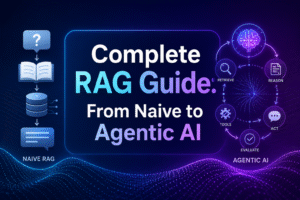
Adding a knowledge base via RAG transforms a generic chatbot or voice agent into a domain expert. For chatbots the RAG pipeline runs synchronously (retrieve → inject → generate). For voice agents you have a tighter latency budget — retrieval must complete in under 200ms, which means your vector database must be co-located (same region, same cloud) with your inference server. If you are unfamiliar with RAG fundamentals, our Complete RAG Guide from Naive to Agentic AI covers embeddings, vector databases, and advanced retrieval architectures in depth. For edge-optimised model deployments, also see Gemma 4 optimisation for Edge AI.
from openai import OpenAI
from pinecone import Pinecone
import asyncio

client = OpenAI()
pc = Pinecone(api_key="your-pinecone-key")
index = pc.Index("knowledge-base")

async def retrieve_context(query: str, top_k: int = 3) -> str:
    # For voice: top_k=3 keeps context small and latency low
    embedding = client.embeddings.create(
        model="text-embedding-3-small", input=query
    ).data[0].embedding

    results = index.query(
        vector=embedding, top_k=top_k, include_metadata=True
    )
    return "\n".join(
        m['metadata']['text'] for m in results['matches']
    )

async def answer_with_rag(query: str, voice_mode: bool = False) -> str:
    # Retrieve context in parallel with any other prep work
    context = await retrieve_context(query)
    system = VOICE_AGENT_SYSTEM if voice_mode else CHATBOT_SYSTEM
    prompt = f"Context:\n{context}\n\nQuestion: {query}"

    resp = client.chat.completions.create(
        model="gpt-4o-mini" if voice_mode else "gpt-4o",
        messages=[{"role": "system", "content": system},
                  {"role": "user",   "content": prompt}],
        temperature=0.2,
        stream=voice_mode  # Stream for voice, sync for chatbot
    )
    return resp if voice_mode else resp.choices[0].message.content
FAQ Developer Questions — Chatbots & Voice Agents
Deepgram Nova-3 is the current production default for PSTN telephony. It handles G.711 μ-law and A-law audio natively, delivers streaming transcripts with ~250ms latency, and has the best accuracy on American English telephone speech. For multilingual deployments, Google Cloud Speech-to-Text v2 with Chirp 2 model covers 100+ languages with strong accuracy. For offline or self-hosted requirements, Whisper Large v3 running on a GPU (A10G or better) achieves top accuracy but requires ~800ms batch processing — acceptable for async transcription but not real-time voice agents. Always test on your actual audio conditions (background noise, accents, codec compression) before committing to a vendor.
End-to-end latency is the sum of: STT (~250ms), LLM time-to-first-token (~300–500ms), TTS first chunk (~150–200ms), and network round trips (~50–100ms). To hit sub-1.2s p95: use Deepgram streaming STT with interim results so you can start the LLM call before the utterance is fully transcribed; use GPT-4o-mini or Groq’s Llama 3 for the fastest TTFT; use ElevenLabs Turbo v2.5 or Cartesia Sonic for TTS (both <150ms first chunk); implement sentence-boundary streaming so TTS starts on the first sentence; co-locate all services in the same AWS/GCP region; use Redis for state (sub-1ms reads); pre-warm your LLM connection (keep an idle HTTP/2 connection open). Monitor each component’s p95 latency separately in production so you can pinpoint regressions.
Use LangChain (or LlamaIndex) for the first version if your team is smaller than 5 engineers. The built-in retrievers, memory abstractions, and LLM router save weeks of plumbing work. Migrate off it — or to a custom wrapper — when you hit real performance bottlenecks (LangChain adds 50–150ms latency per chain invocation), when you need fine-grained control over prompt construction that its abstractions make awkward, or when the framework’s frequent breaking changes become a maintenance burden. Many production systems at scale use LangChain for prototyping and then extract the pieces they need into a lightweight custom pipeline. The dialogue manager code in this guide is roughly what that custom pipeline looks like.
Three techniques in combination: 1. Sliding window — keep only the last N turns (typically 8–12) in the prompt. Earlier turns are dropped. This is the simplest and works for most use cases. 2. Summarisation — when history exceeds a threshold, ask the LLM to summarise the conversation so far into 2–3 sentences, replace the dropped turns with that summary, and continue. This preserves key facts while reducing tokens. 3. Entity extraction — after each turn, extract structured facts (user name, account number, issue type) into a JSON object stored in Redis. Inject only that compact object plus recent turns, not full history. For voice agents, context windows are typically much smaller (4–6 turns) because calls are shorter and latency matters more than depth of context.
Three layers of testing: Unit tests — test your dialogue manager with mocked STT output (plain text strings) and assert on LLM response format and tool calls. This is fast and catches regressions without real audio. Integration tests with synthetic audio — use TTS to generate test utterances from a test script, pipe them through your full STT → dialogue → TTS pipeline, and assert on final transcript. End-to-end call testing — use Twilio’s test credentials or Hamsa to make real phone calls to your agent from automated test harnesses, recording the full conversation for manual review. Before launch, run a red team session where engineers try to confuse, jailbreak, or break the agent with edge case inputs. Monitor real call recordings in production — your first 100 live calls will reveal failure modes no test suite caught.
Define explicit escalation triggers in your system prompt and dialogue manager: repeated failure to resolve (3 turns with low-confidence responses), detected frustration (sentiment classification on user input), explicit escalation request (“speak to a human”), or specific intents that must always be human-handled (legal, medical, high-value complaints). For chatbots, trigger a handoff by posting the conversation transcript to your CRM or live-chat platform (Intercom, Zendesk) via API, then update the chat widget to connect to a live agent. For voice agents, use Twilio’s <Dial> TwiML verb or a SIP transfer to route to your contact centre queue, passing the conversation summary as a whisper message so the human agent is briefed before picking up. The key principle: the caller should never have to repeat themselves — always pass the full context.
↗ Ship It — But Ship It Right
Building a chatbot or voice agent in 2026 is within reach of any developer comfortable with async Python and REST APIs. The tooling has matured dramatically — LLM APIs are reliable, STT accuracy is production-grade, and frameworks like Pipecat abstract the hardest real-time audio plumbing. The gap between a demo and a production system is not in the AI — it is in the engineering around it: state management, latency discipline, barge-in handling, token budget control, PII redaction, fallback chains, and observability.
Start with the text chatbot. Get intent classification, dialogue state, RAG retrieval, and streaming responses working end-to-end. Then bolt on the STT → TTS layers for voice. The shared dialogue management core means you are not rebuilding from scratch — you are extending. Every hour you invest in testing, prompt engineering, and observability infrastructure will pay back in fewer 3am production incidents.
The goal is not the cleverest architecture. It is a system your users trust, your team can maintain, and your business can run 24/7 without human supervision. Build for that.
Build Production-Ready Conversational AI
From chatbot architecture to voice agent telephony — expert engineering that ships systems users actually trust.

No responses yet